
M3U Converter – Quickly Convert IPTV Playlist Formats
The m3u-converter allows users to easily transform IPTV playlist formats within seconds. It can convert M3U playlists into Xtream login details or generate playlist links using existing server credentials.
This tool simplifies IPTV setup by helping users prepare streaming information without complex configuration. With the converter, IPTV playlists can be processed instantly and prepared for different IPTV players or streaming applications.
YOURFLIX IPTV
This tool is for personal use only. YOURFLIX IPTV does not store your data.
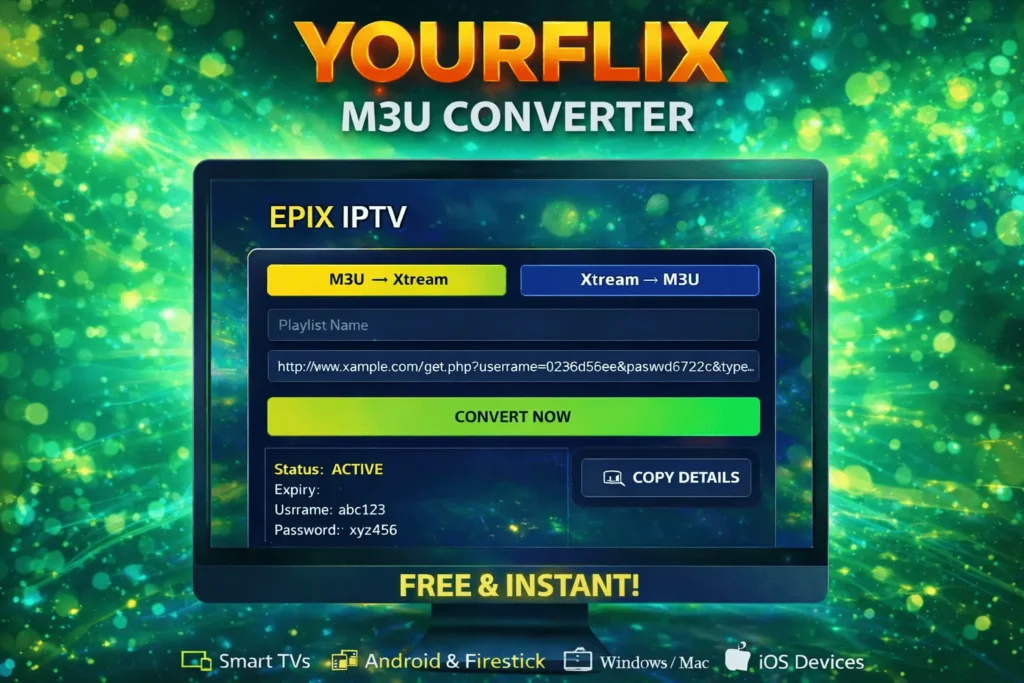
YOURFLIX IPTV Playlist Converter
The m3u-converter allows users to easily transform IPTV playlist formats within seconds. It can convert M3U playlists into Xtream login details or generate playlist links using existing server credentials.
This tool simplifies IPTV setup by helping users prepare streaming information without complex configuration. With the converter, IPTV playlists can be processed instantly and prepared for different IPTV players or streaming applications.
YOURFLIX IPTV Playlist Converter
The YOURFLIX m3u-converter provides a simple interface where users can convert playlist links directly in their browser.
By entering the required information, the system automatically processes the playlist and generates compatible login data for IPTV applications.
This quick conversion process helps users access IPTV content faster without additional software.
How the M3U Converter Tool Works
The m3u-converter is designed to transform IPTV playlist links into different formats supported by many streaming apps.
Users can convert M3U playlists into Xtream credentials or generate new playlists using existing account information.
This makes it easier to configure IPTV services and connect subscriptions to IPTV players.
Convert M3U Playlists into Xtream Login Details
With the m3u-converter, playlist information can be converted into login credentials compatible with IPTV applications.
The system extracts important information from the playlist, including server URL, username, and password.
These details can then be used to log in directly through IPTV players that support Xtream codes.
Generate M3U Playlists from Xtream Credentials
The converter can also perform the reverse process by generating an M3U playlist using Xtream login credentials.
Users simply enter the server address, username, and password to create a working playlist link.
This feature is useful for users who prefer using M3U links instead of login credentials.
IPTV Platforms Supported by the M3U Converter
The m3u-converter works with many IPTV players and streaming devices.
Supported platforms typically include Smart TVs, Android devices, Firestick, computers, and mobile phones.
This compatibility allows users to configure IPTV access across different devices easily.
Benefits of Using an IPTV M3U Converter
Using an m3u-converter simplifies IPTV configuration by converting playlist formats quickly and accurately.
The tool runs directly in the browser and delivers instant results without installing additional software.
It provides a practical way to prepare IPTV playlists and login information for multiple IPTV players.
M3U Converter Frequently Asked Questions
The M3U converter FAQ section answers common questions related to IPTV playlist conversion, supported devices, and tool functionality.
These answers help users understand how to convert IPTV playlists efficiently.
An M3U converter is a tool that transforms IPTV playlist formats into other formats such as Xtream login credentials or new playlist links.
The tool processes playlist data and converts it into compatible formats used by IPTV players.
Yes, the converter can generate M3U playlist links from Xtream server credentials.
No, the converter works directly in your browser without additional software.
Generated playlists typically work on Smart TVs, Android devices, Firestick, computers, and mobile devices.
Many IPTV playlist converters can be used for free depending on the platform.
Yes, as long as users convert playlists that belong to their own IPTV subscriptions.
If you want to expand your IPTV experience, you can start streaming with our IPTV subscription plans and access thousands of live channels instantly. For those interested in building a streaming business, you can also launch your IPTV business with our IPTV reseller panel and manage IPTV users easily. Viewers who prefer long-term access can also discover unlimited streaming with our IPTV lifetime plans for uninterrupted IPTV entertainment.